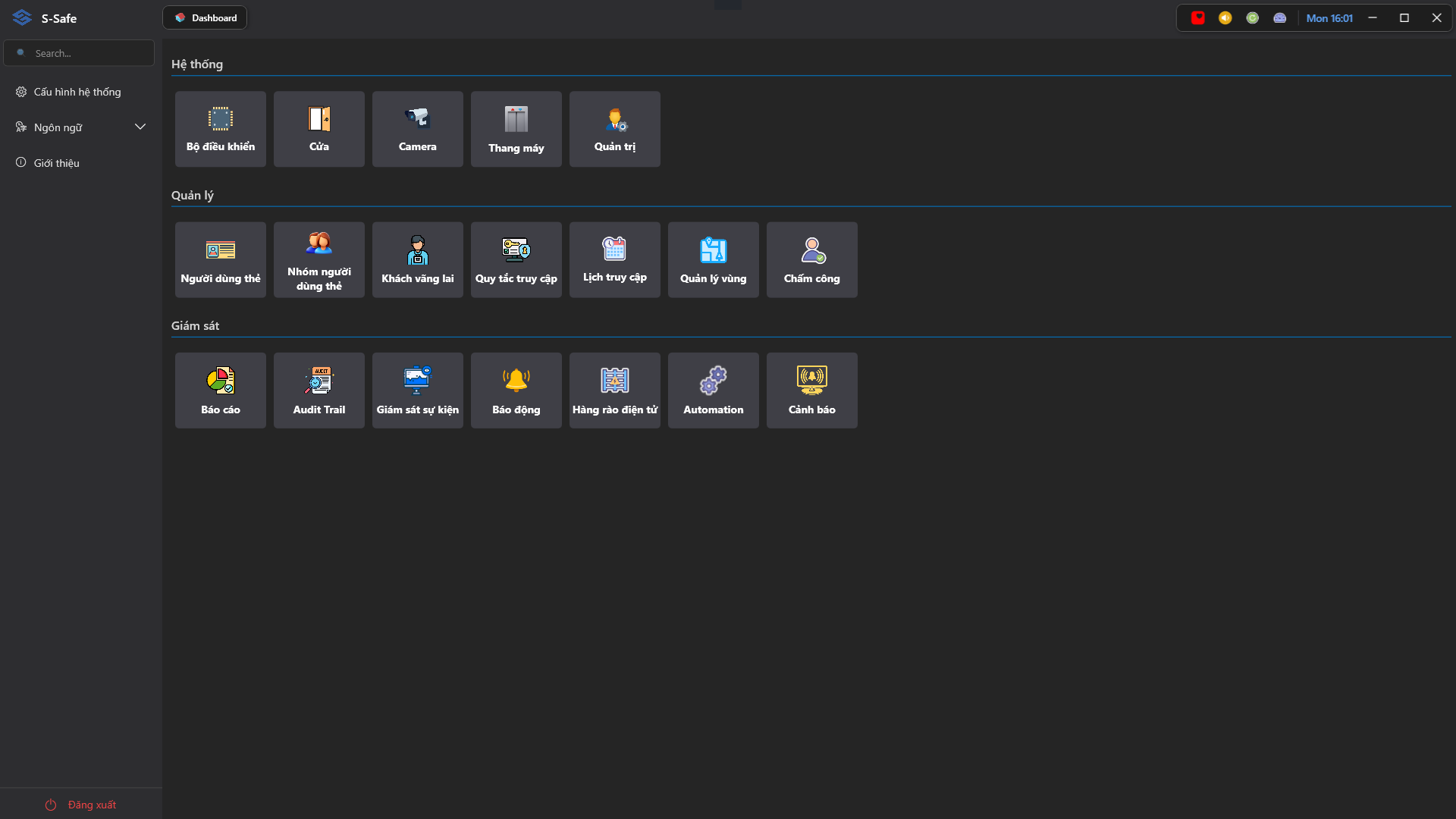
S-Safe Homepage Interface
The main interface, accessible after logging in with an authorized account, displays key sections designed to help users operate and manage the system easily. You can click the Menu icon to collapse the Sidebar.
1. Main Components
- Sidebar Menu: Located in the left column, displaying all software tasks and functions (Administration, Operation, Maintenance, Reporting, etc.). Click the S-Safe logo to collapse the sidebar.
- Tab Control: Located at the top edge, helping to manage and switch between currently open functional modules.
- Dashboard (Main Module Panel): The central area visually displaying icons of key functional modules for quick access.
2. System Toolbar (Top Right Corner)
The top right corner of the screen provides monitoring tools and quick-access utilities for the operator:
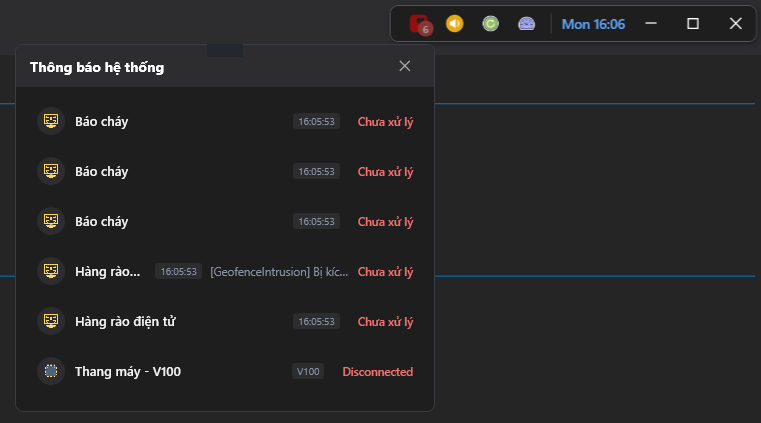
- Notifications: The red inbox icon. This icon will blink continuously when the system registers events related to the alert module (e.g., Fire Alarms, Geofence Activations). Click it to view the detailed alert list.
- Mute: The yellow speaker icon. Allows the operator to silence alert sounds on the workstation when necessary.
- Check Update: The green loop icon. Used to check for and synchronize the latest software version updates.
- System Monitor: The gauge meter icon. When clicked, a visual popup will appear reporting the real-time resource usage of the server (including the usage percentage of CPU, Memory, GPU, and Network).