Access Schedule Management (Time Schedules)
The Access Schedules module allows administrators to define the time windows during which access is permitted in the system. These schedules are then assigned to individual cardholders or cardholder groups to control when a card swipe is valid (e.g., Allow entry only from 08:00 – 17:00, Monday through Friday).
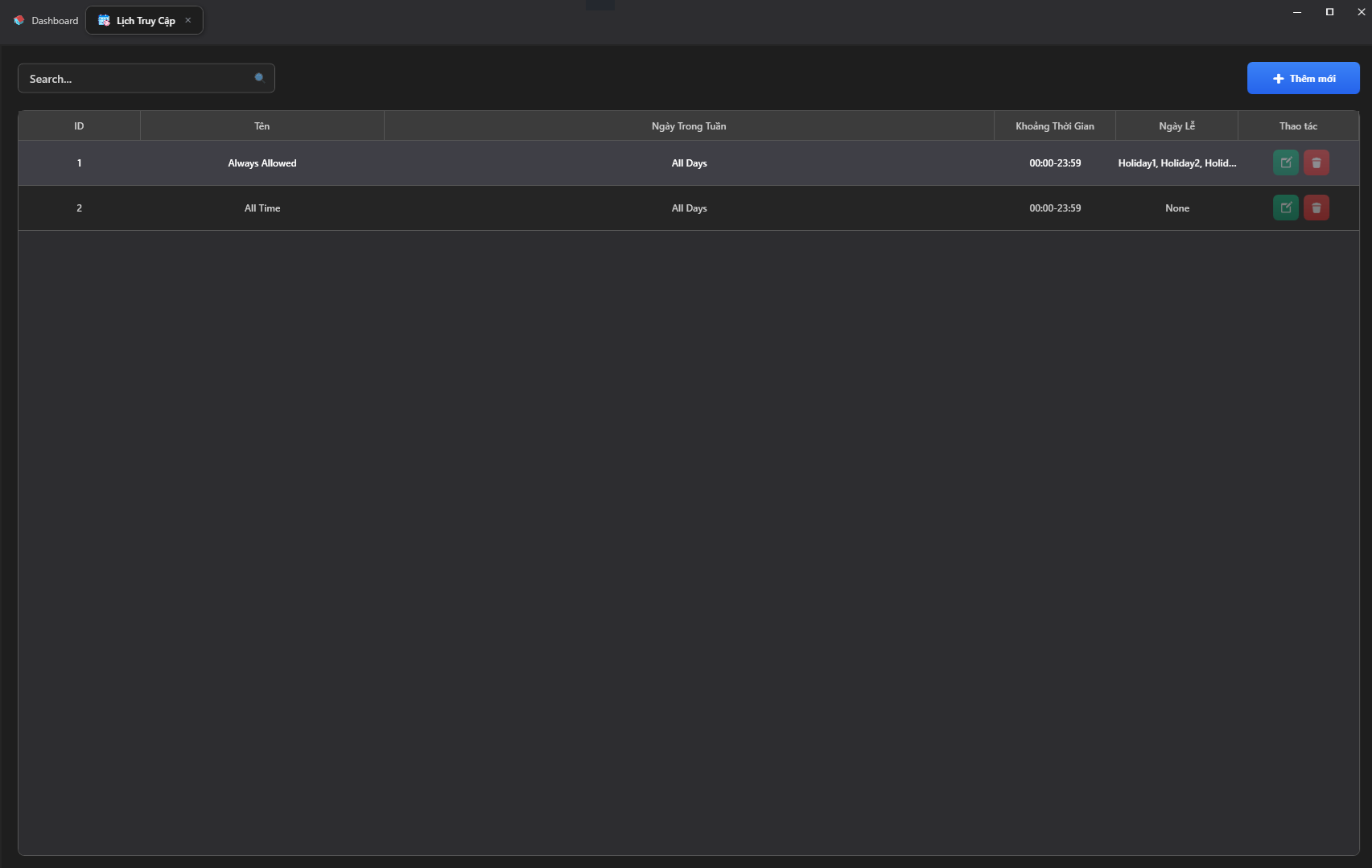
1. Schedule List Interface
The screen displays a list of all time schedules configured in the system with the following detail columns:
- Name: A descriptive name for the schedule (e.g., Always Allowed, Business Hours, Night Shift).
- Days of Week: The days to which the rule applies (Monday through Sunday).
- Time Range: The start and end times of the allowed window (Format: HH:mm).
- Holidays: The holiday groups applied specifically to this schedule.
- Actions: Edit 📝 or Delete 🗑️.
2. Adding and Configuring a Time Window
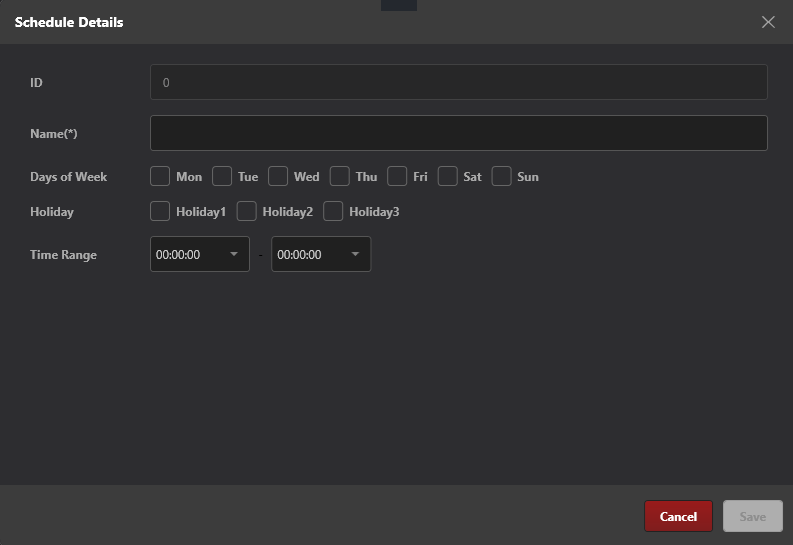
When you click + Add New or Edit, the Schedule Details dialog will appear for detailed configuration:
- Name (*): Enter a name for the schedule (required field).
- Days of Week: Check the days of the week you want this schedule to be active (from
MontoSun). - Holiday: Check the applicable holiday groups (
Holiday1,Holiday2,Holiday3). If a day is declared as a holiday in the system, that day's rule will be applied according to this configuration with priority. - Time Range: Select the start time and end time for permitted card swipes.
- Note: To allow access all day, set the range from 00:00:00 to 23:59:59.
Click Save to complete.
3. Default Schedules
The S-Safe system typically includes built-in schedules that cannot be deleted to ensure uninterrupted operation:
- All Time / Always Allowed: Permits access 24/7 on all days, including holidays.
- None: Completely denies access at all times (typically used to temporarily revoke permissions).