Attendance Management (Time Attendance)
The Attendance module is a powerful tool for HR and Accounting departments to visually track the working days of all staff members. The system automatically collects card swipe data from readers and cross-references it with assigned schedules to accurately calculate the actual number of working days.
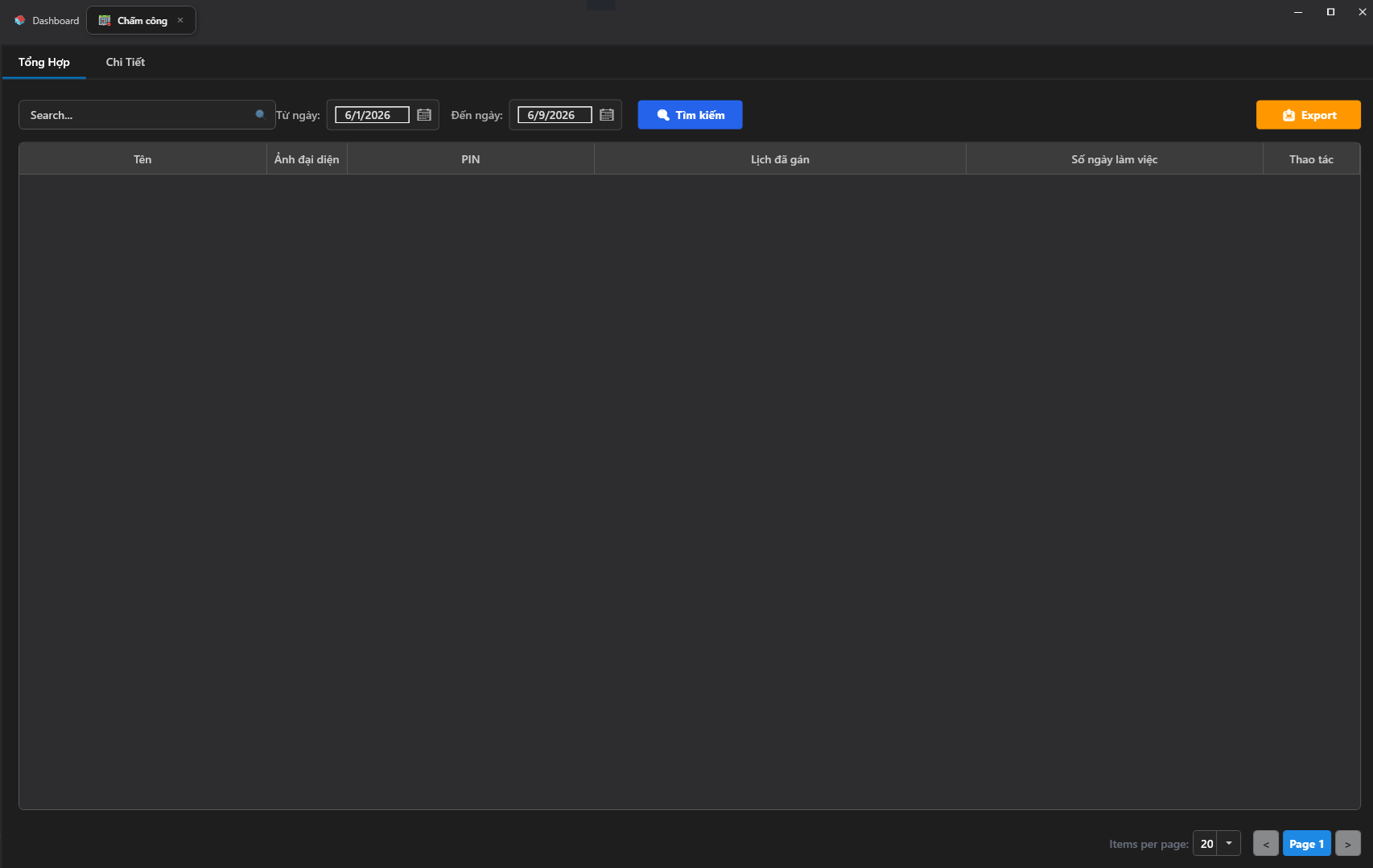
1. Attendance Data Filter
To extract precise attendance data based on specific requirements, the system provides a smart filter toolbar at the top of the screen:
- Search Box: Allows you to quickly find a specific employee by entering their full name, employee code, or PIN number.
- From Date / To Date: Select the date range for data retrieval (e.g., filter from the 1st to the 30th of each month for payroll calculation).
- Search Button 🔍 (Blue): Triggers the system to scan and display data matching the configured filter conditions.
2. Data Tab Interface
The attendance data management screen is split into 2 specialized functional tabs:
Tab 1: Summary
Displays a high-level overview of staff attendance in a data table containing the following information:
- Name: The employee's full name.
- Profile Photo: The employee's profile picture for quick visual verification.
- PIN: The user's identifying PIN code.
- Assigned Schedule: The logical work-hours schedule currently applied to this employee (e.g., All Days|00:00–23:59).
- Working Days: The total cumulative number of valid working days for that employee within the filtered time period.
- Actions: Contains function buttons for deeper inspection or adjustments.
Tab 2: Details
Where administrators can click to view the detailed daily card-swipe history for an individual employee (Check-in time, Check-out time, Late arrival, Early departure, and Total actual hours worked per shift).
3. Export Attendance Report (Export to Excel)
For archiving, reporting, or importing data into dedicated payroll software:
- After applying the filter to generate the desired attendance table, click the Export 📥 button (orange) in the top-right corner of the screen.
- The system will immediately compile and download an Excel (
.xlsx) spreadsheet to your computer. All data including names, employee codes, assigned schedules, and actual working days will be preserved in a structured table format, ready for immediate use.