Camera Management
The Camera module allows you to integrate live video surveillance streams directly into the S-Safe software. Linking a Camera to a specific Door enables the system to automatically display a video pop-up instantly when a card swipe event or security alert occurs at that door.
1. List View Interface
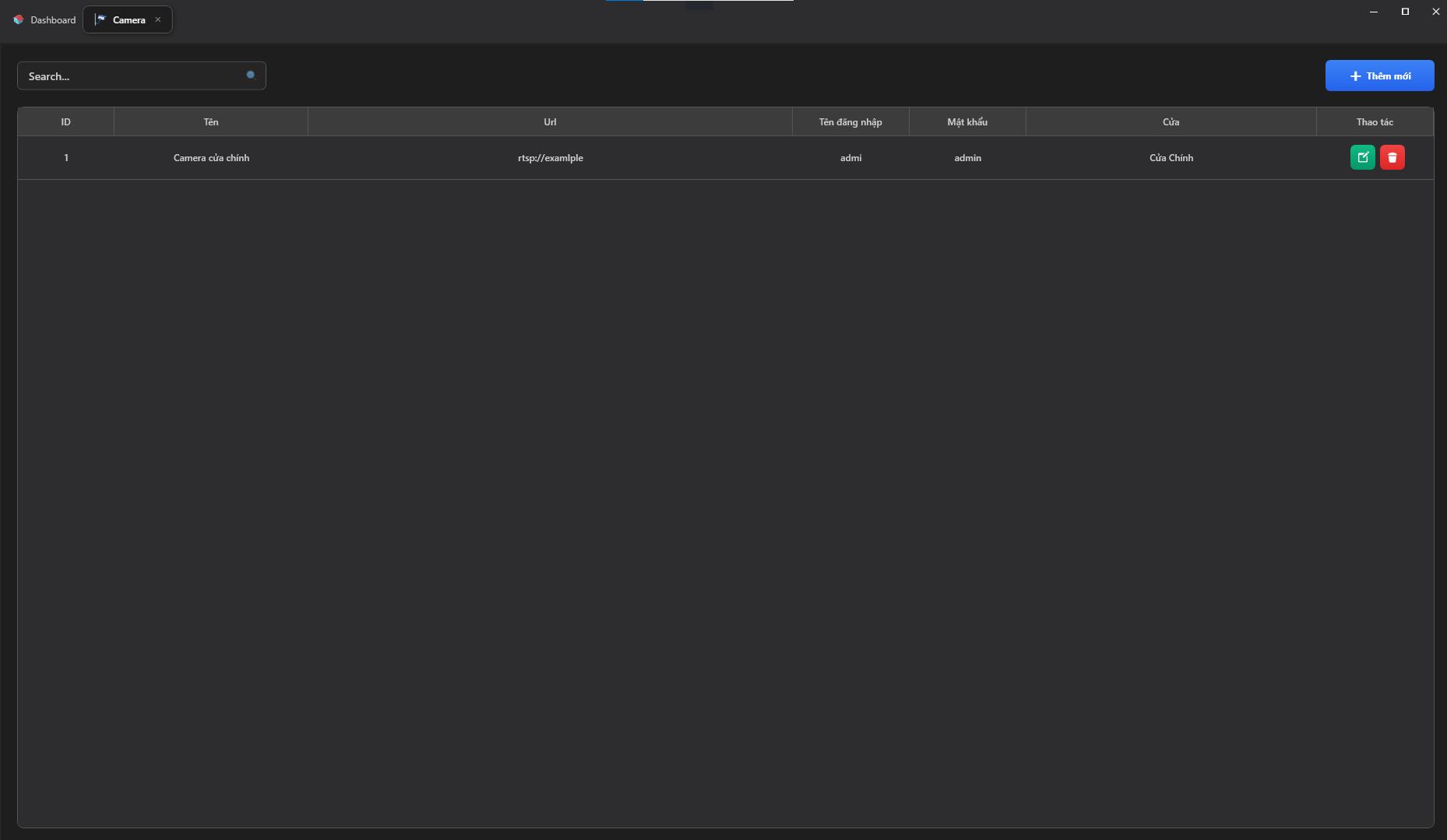
The main screen displays a listview of all cameras registered in the system. The information shown allows operators to quickly review:
- Identification Info: ID, Camera name.
- Data Stream: URL path (typically the RTSP stream link of the camera).
- Credentials: The camera's username and password (used by the software to access the video stream).
- Door: The name of the Door currently linked to this camera.
2. Adding and Editing
To add a new Camera, click the + Add New ➕ button in the top-right corner. To edit an existing camera, click the Edit 📝 button (green square).
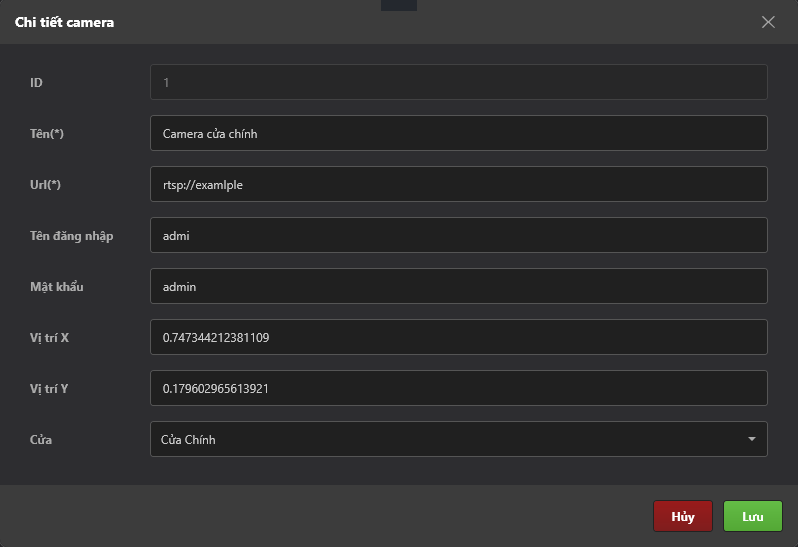
The Camera Details form will require you to fill in the following fields:
- Name (*): Enter a descriptive name based on location (e.g., Main Entrance Camera, 1st Floor Lobby Camera).
- URL (*): The camera's protocol stream URL (e.g., an RTSP link).
- Username / Password: The internal account configured on the camera device.
- Position X / Position Y: The camera's display coordinates on the map/E-Map. (Tip: You typically do not need to enter these values manually. In the Zone Management / E-Map module, simply drag and drop the camera onto the map and the system will automatically save the coordinates here.)
- Door: Select a Door from the dropdown list to assign this camera as a direct surveillance eye for that door.
3. Deleting a Camera
- Click the Delete 🗑️ button (red trash icon) in the actions column to remove the device.
- The system will display a confirmation prompt before permanently deleting the camera to prevent accidental removal.
To ensure the Server and client workstations run smoothly without lag when displaying multiple simultaneous event streams (Video Wall), it is recommended to use the Sub-stream URL at VGA or HD resolution when adding cameras to S-Safe, rather than the Main-stream at 4K resolution.